Reservation system for your Shoptet e-shop
Manage reservations, rentals and time slots right from the admin panel. Automatic order matching, clear calendar and email notifications.

Manage reservations, rentals and time slots right from the admin panel. Automatic order matching, clear calendar and email notifications.

A complete solution for online reservations integrated directly into your Shoptet e-shop.

Set opening hours for each day of the week with optional break times. Automatic calculation of available time slots based on your schedule.
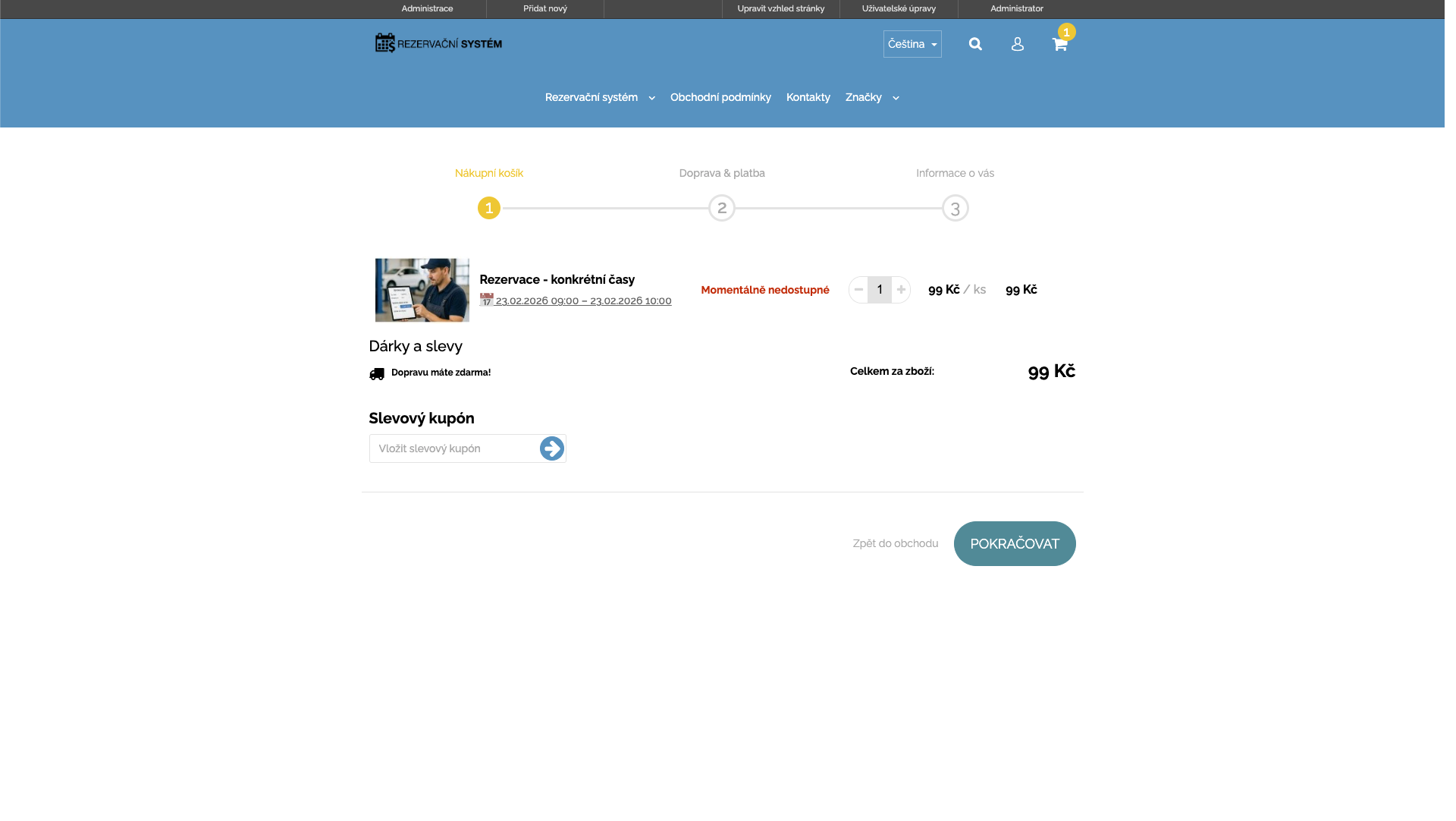
Services with time slots, day-based rentals, and capacity time slots. Each type with its own settings and storefront behavior.

Order management, automatic emails, opening hours and employee settings. Everything from one clear interface.
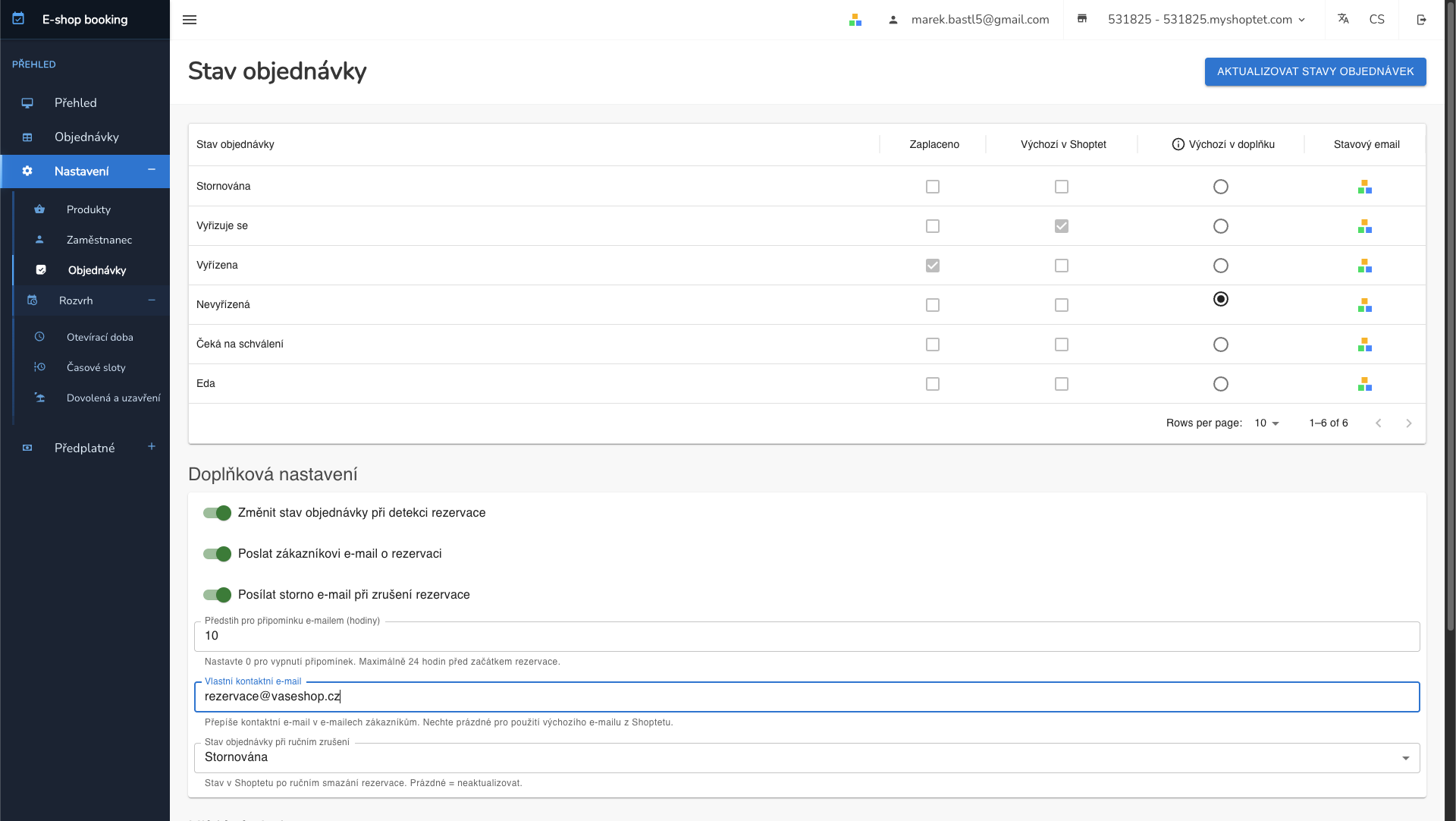
Automatic matching of reservations with Shoptet orders. Real-time product and order status synchronization.
See how different industries use the reservation system
The customer selects a service, an employee, and an available time slot. The reservation is automatically matched with the order.
The customer chooses a rental period from–to. The system monitors availability and blocks dates for others.
The customer reserves a spot in a course with limited capacity. They can see the current occupancy in real time.
Set up the reservation system in 3 simple steps
Order the add-on from the Shoptet marketplace and activate it in your e-shop admin.
Choose products for reservations, set opening hours, reservation type and capacity.
Customers choose their time slot directly on the e-shop and you manage everything from the calendar.
The system automatically monitors payments, sends reminders, and manages capacities for you.
Automatic reservation reminder sent to the customer a configurable number of hours before the appointment. Reduces no-shows and improves customer experience.
Unpaid reservations are automatically cancelled after the configured timeout. Freed time slots are immediately available for other customers.
If not enough participants sign up before the deadline, the system automatically cancels the slot and notifies enrolled customers. Ideal for courses and group activities.
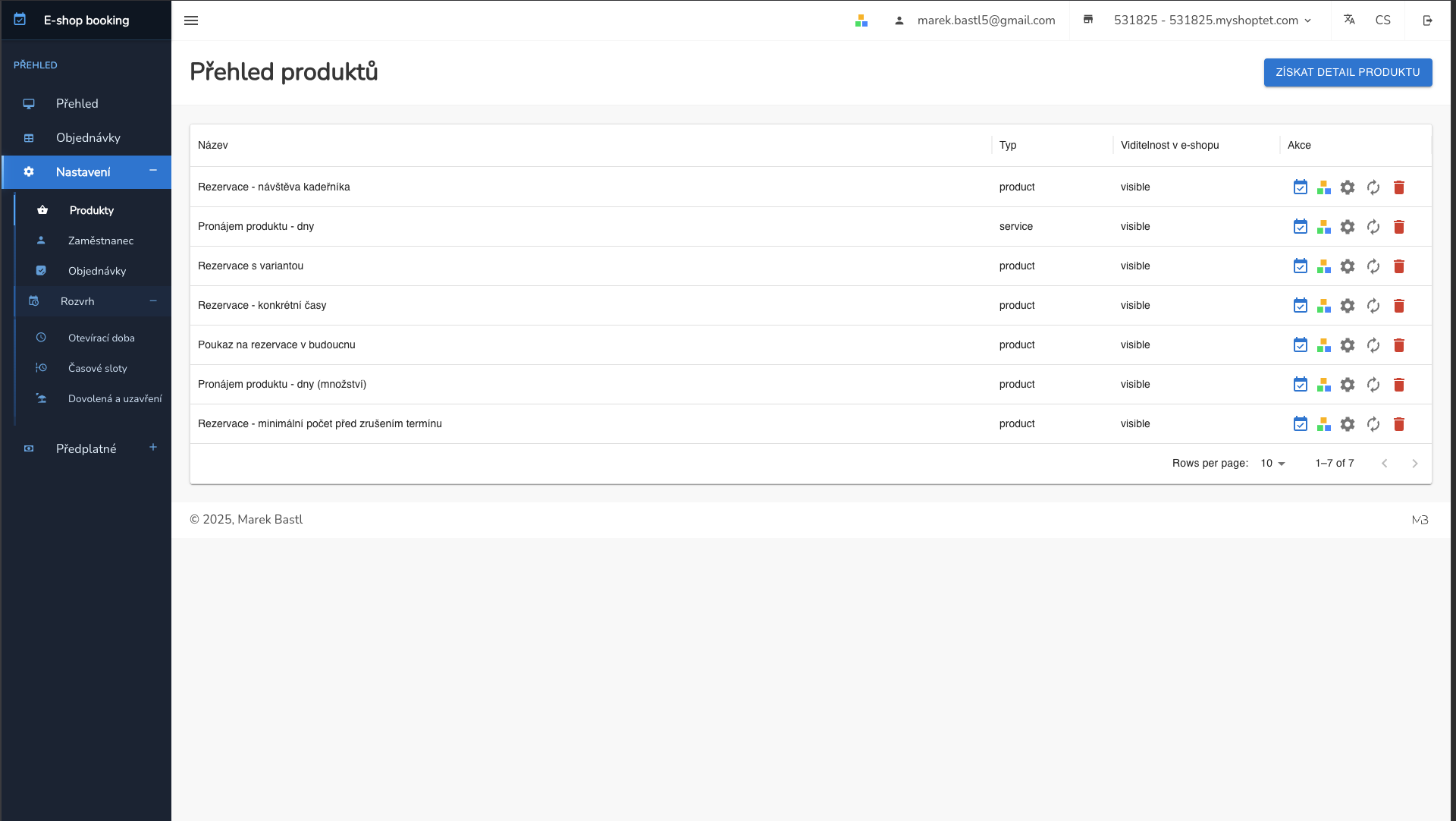
A clear list of all reservation products with type, visibility, and quick actions. Easy connection with Shoptet products.
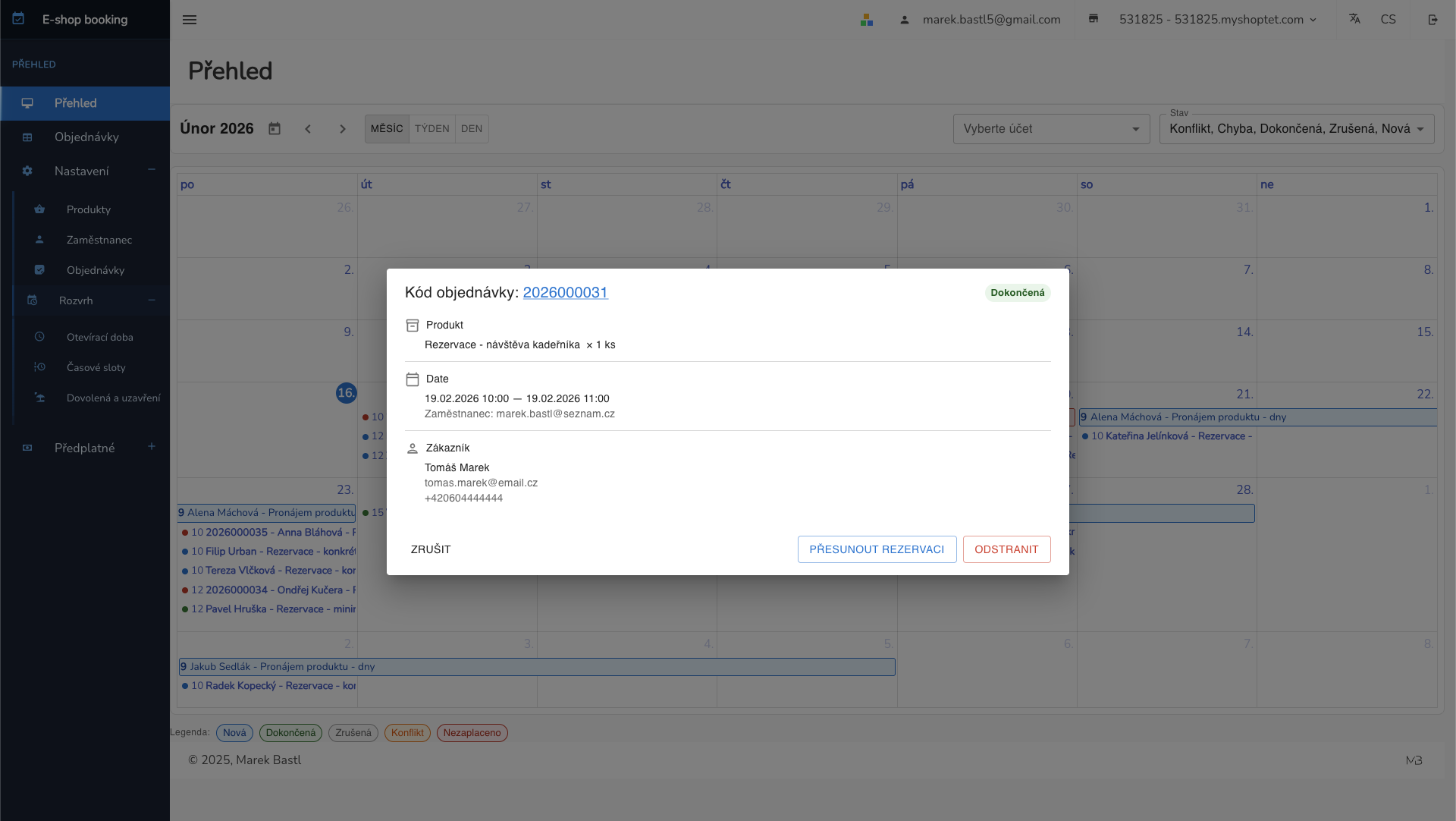
Click any reservation in the calendar to see full details — product, date, customer, and assigned employee. Move or cancel reservations directly from the calendar.
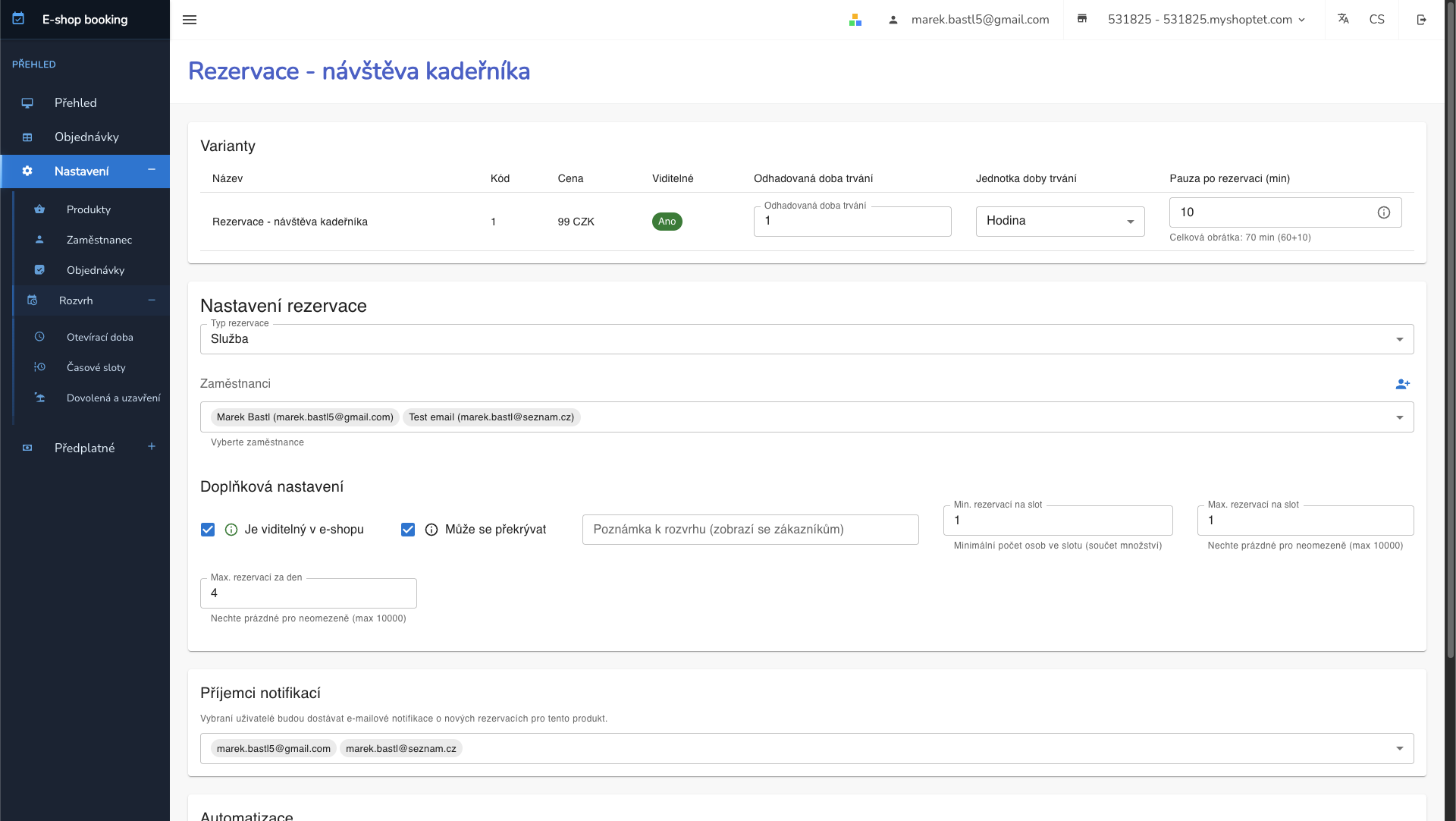
Detailed reservation settings for each product. Reservation type, duration, capacity and other parameters.
Check out the demo e-shop with a working reservation system. No registration needed.
Visit demo e-shopHave a question or need help? Write to me.